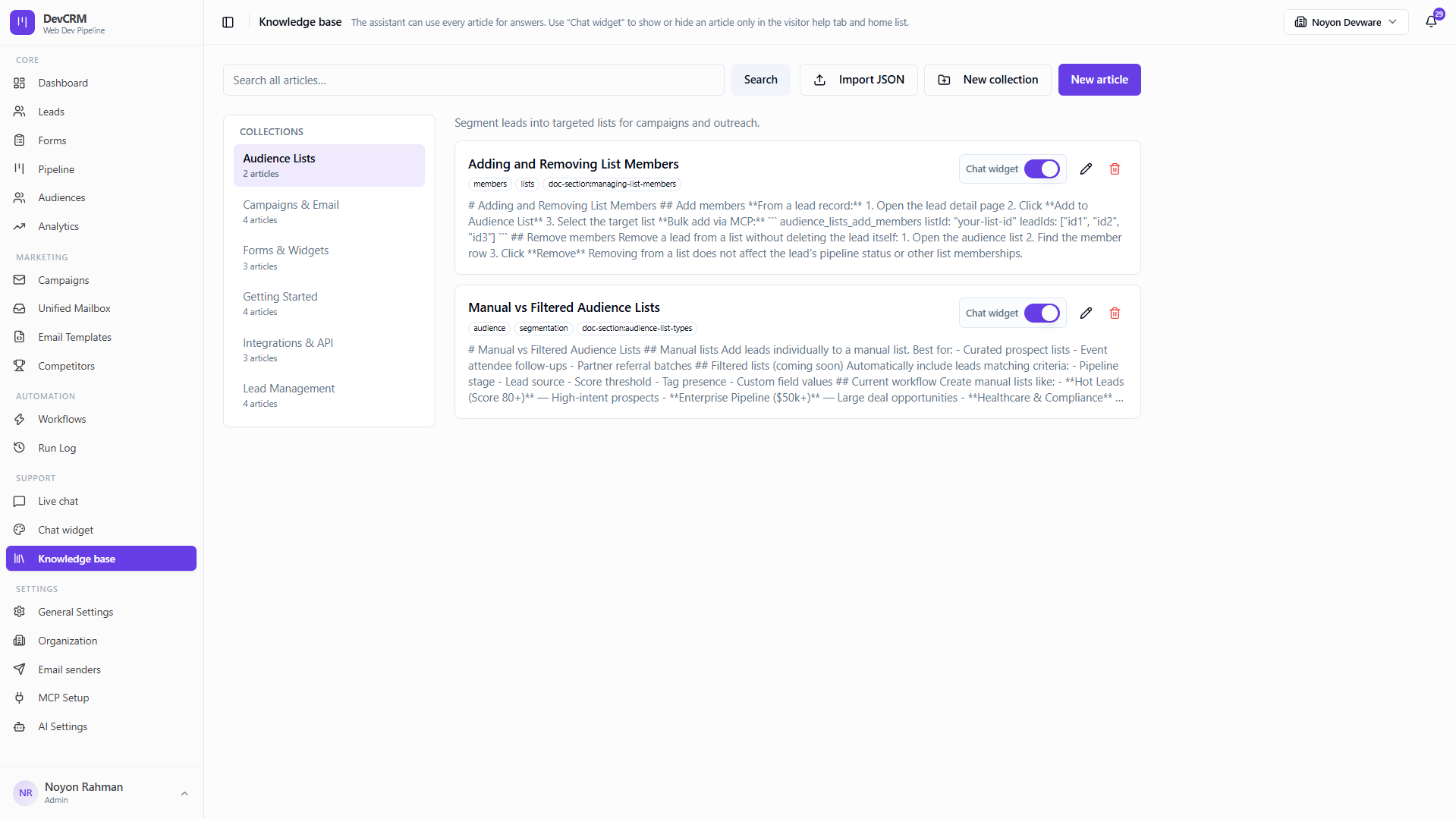
Knowledge Base &
AI Answers
Centralize product guidance so your assistant answers accurately and visitors get instant self-serve help from the chat widget.
JUMP TO SECTIONS
Support Content Hub
Articles That Power
Accurate AI Answers


Collections & Editable Articles
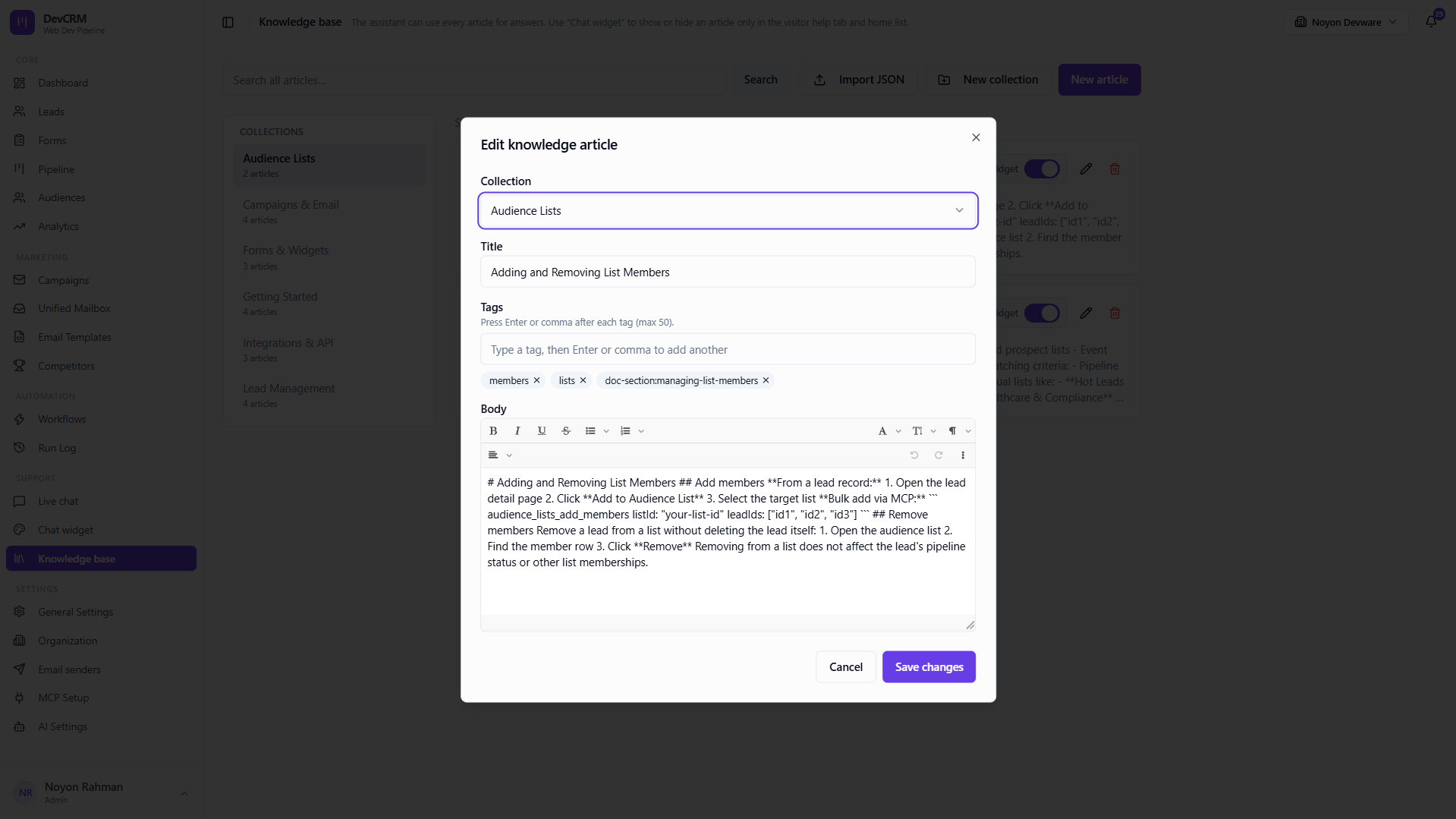
Create structured help content, update markdown anytime, and keep outdated answers out of the assistant’s responses.
Collections and articles structured for fast retrieval
Markdown editing for clear, scannable help content
Remove outdated articles so the assistant never cites them
Surface Help in the Chat Widget
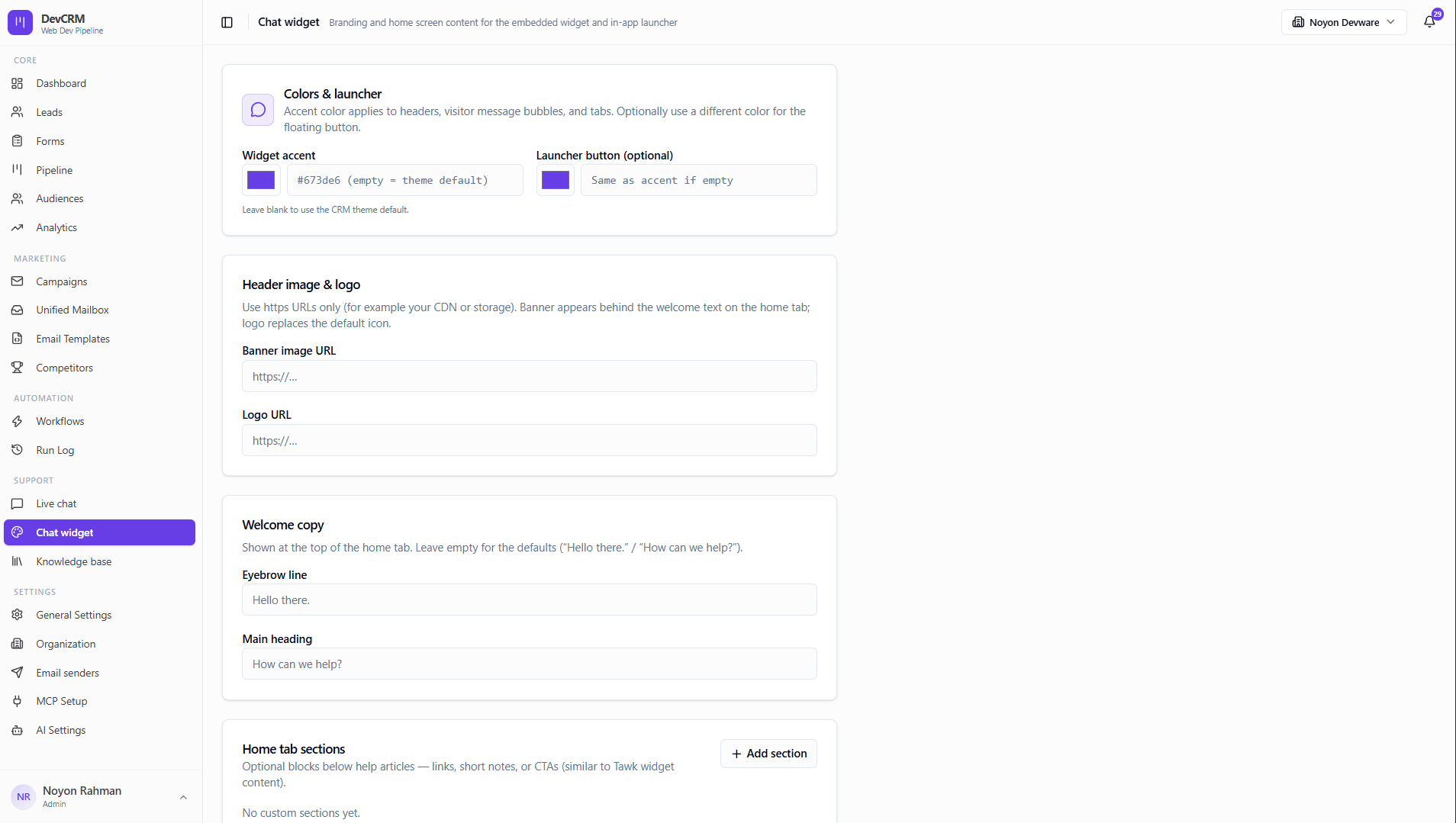
Optionally show selected articles in the visitor help tab so prospects self-serve while your team stays focused on high-intent chats.
Toggle which articles appear in the chat widget help tab
AI replies grounded in your published knowledge base
Fewer repetitive questions for live chat agents
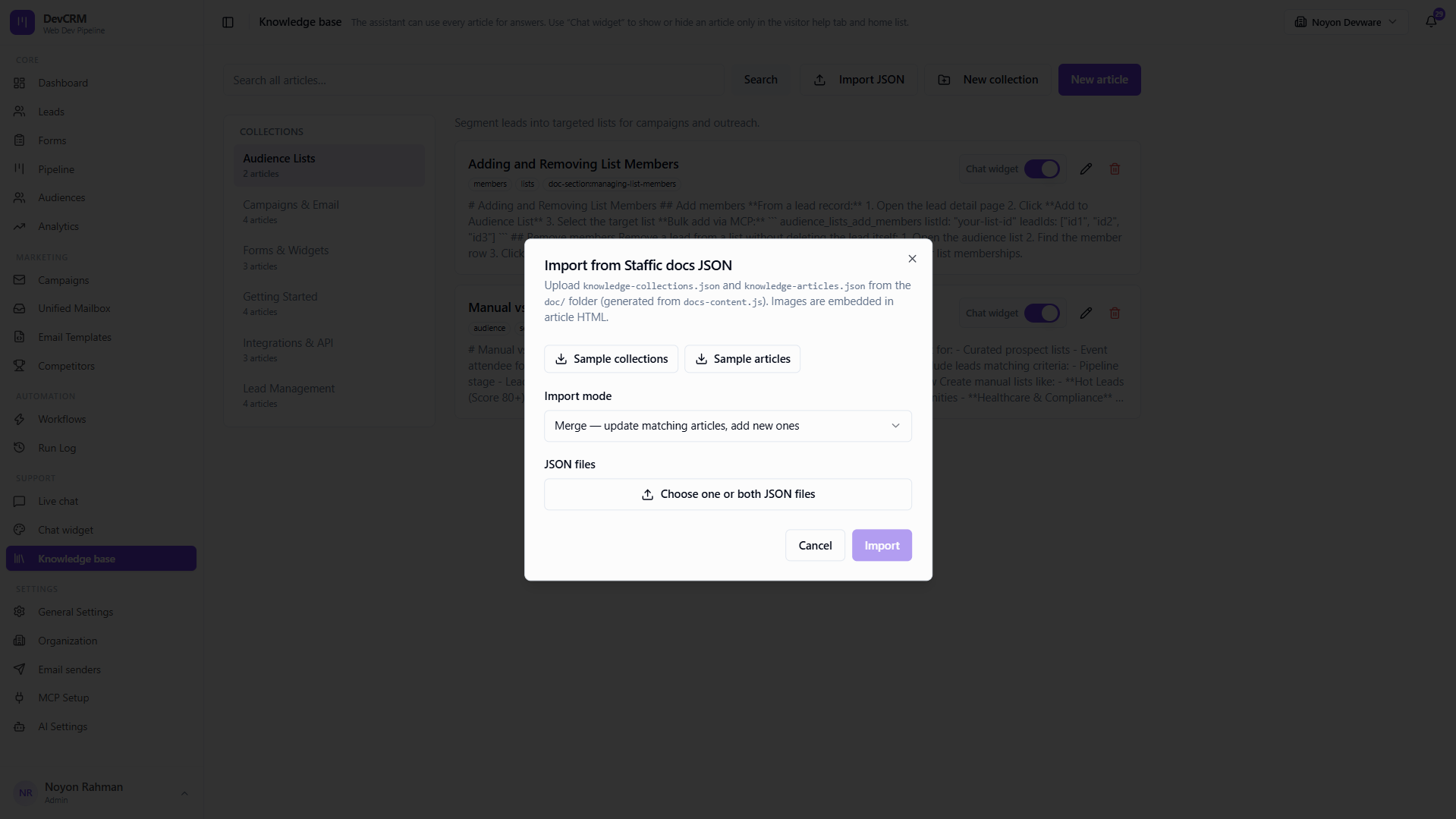
Bulk Import from JSON
Import collections and articles in bulk when migrating docs or seeding a new workspace — then refine content in the editor.
JSON import for collections and articles at once
Safer workflows for seeding content before go-live
Keep help content versioned with your product updates
Explore More CRM Modules

FAQ
Frequently Asked Questions
Common questions about the knowledge base.
Ready to Supercharge Your Sales with DeveloperLook CRM?
Publish a knowledge base that powers AI answers and self-serve chat help. Get started in minutes.
Get Started Free