Email Senders
Connect the addresses DevCRM uses to send campaigns, workflow emails, and mailbox messages — Gmail, Microsoft, or Custom SMTP.
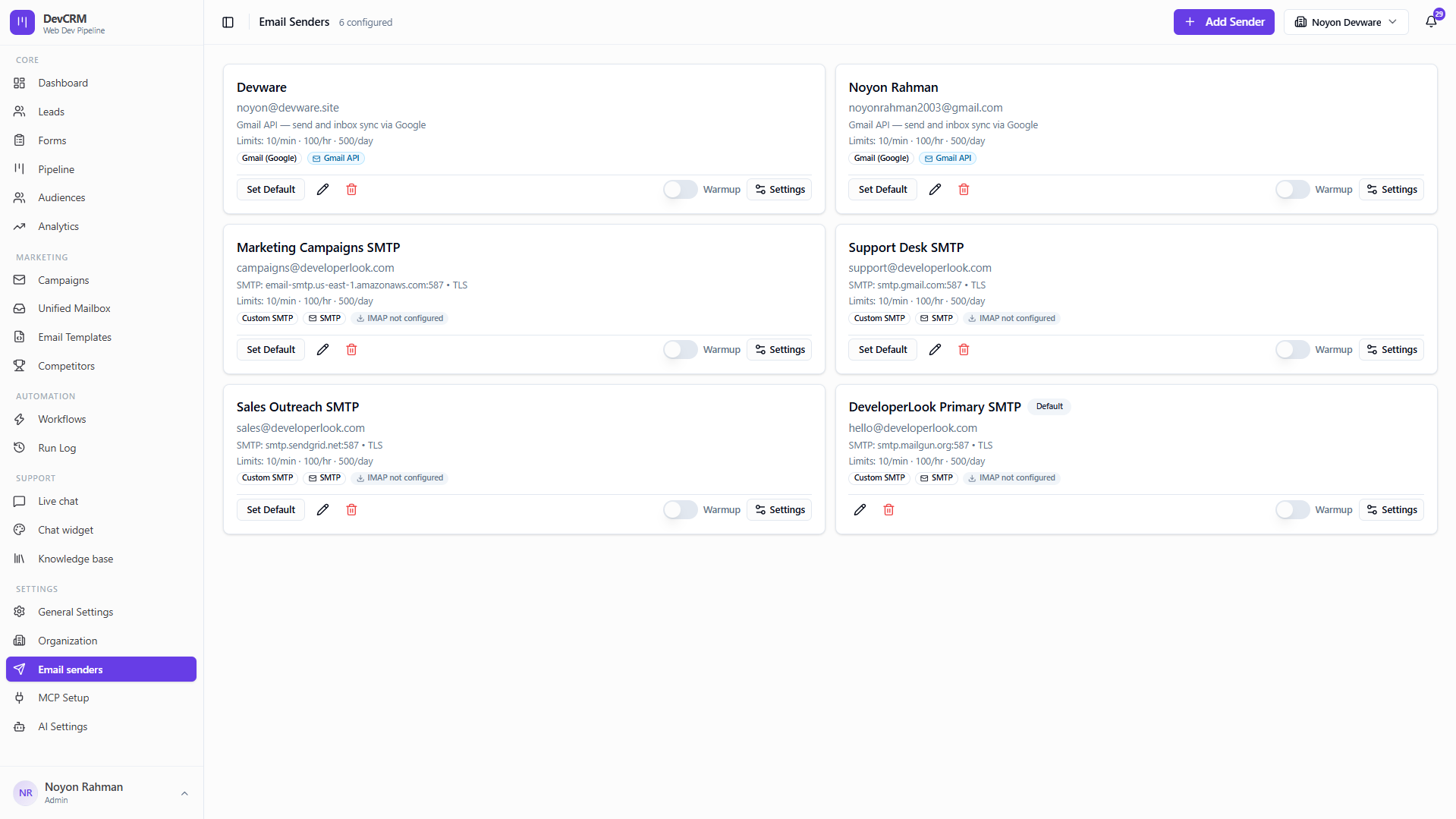
Add a sender
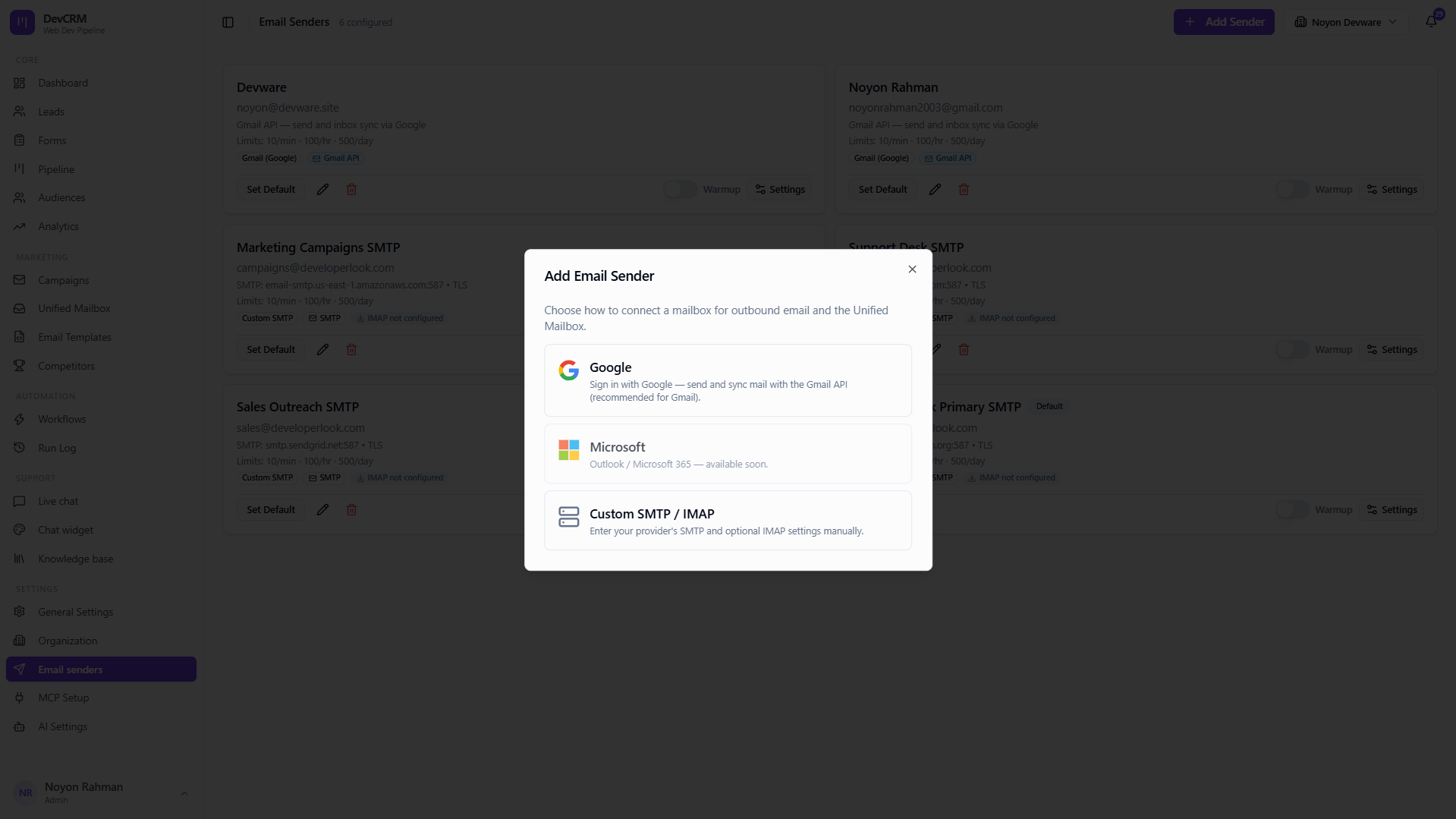
Choose a method
Add Email Sender and pick Google (Gmail API), Microsoft, or Custom SMTP.
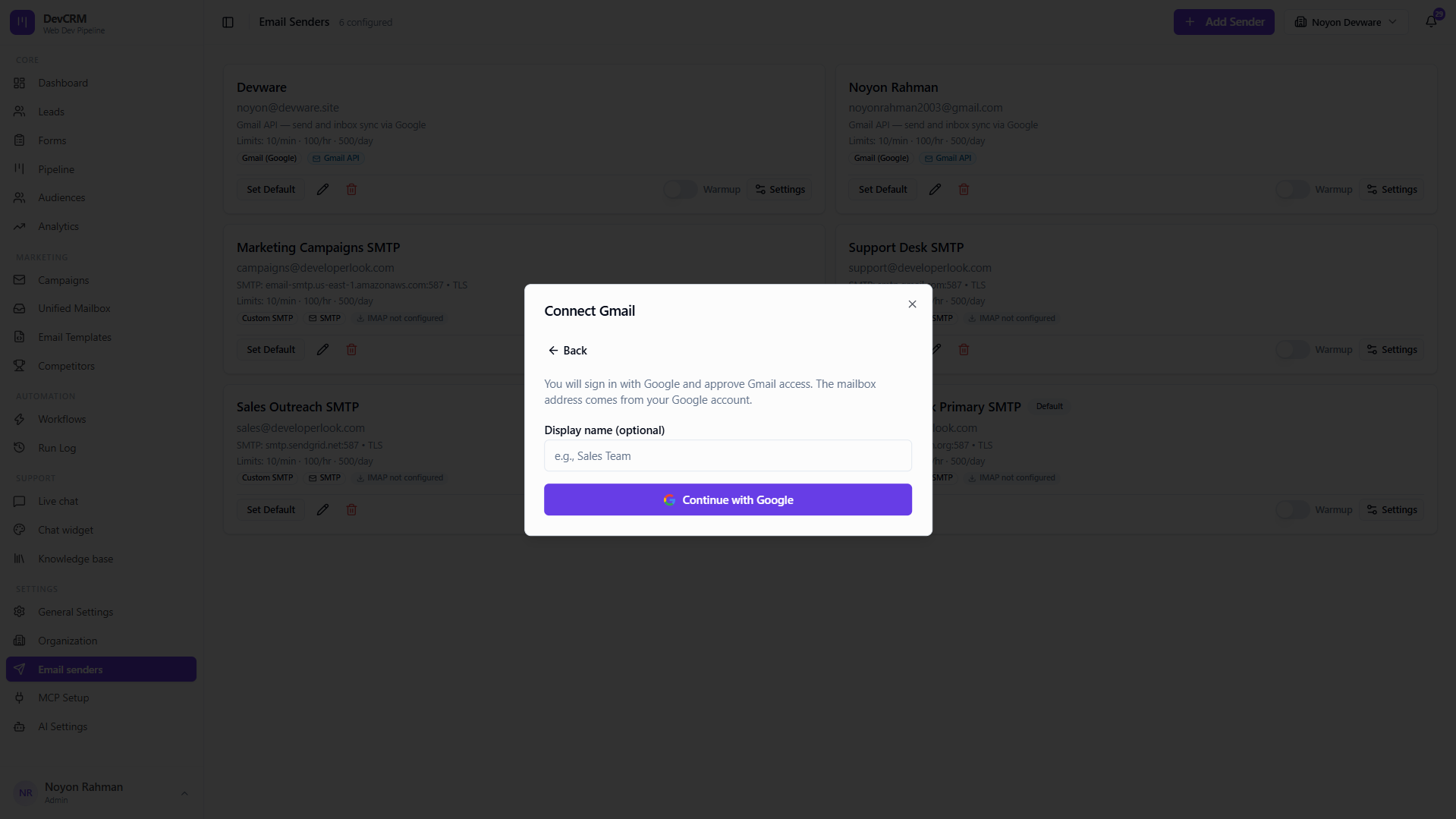
Gmail
Connect with Google OAuth for send and inbox sync. Respect daily/hourly limits shown on the card.
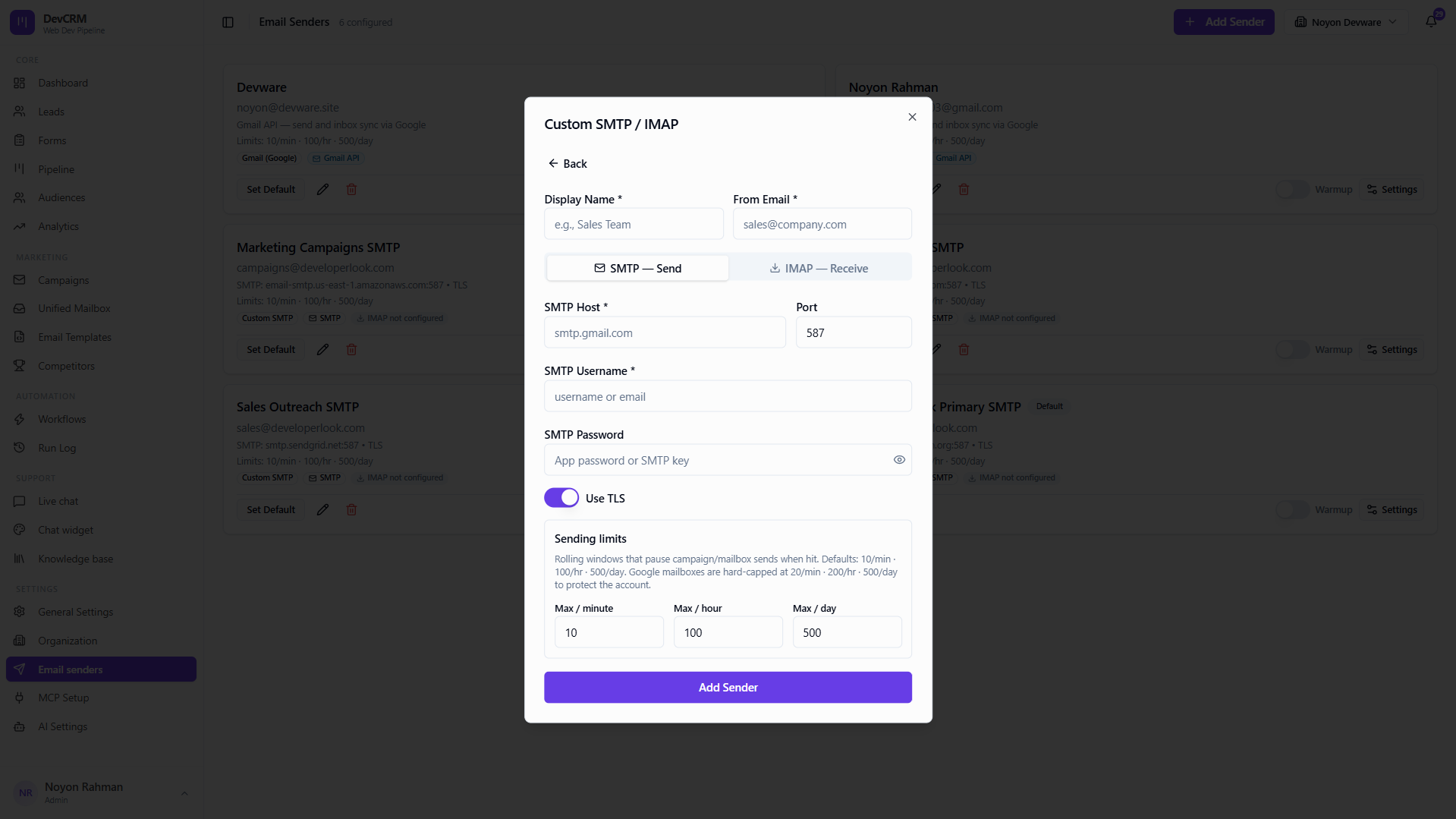
Custom SMTP
Enter host, port, TLS, username, and password for providers like Mailgun, SendGrid, or Amazon SES.
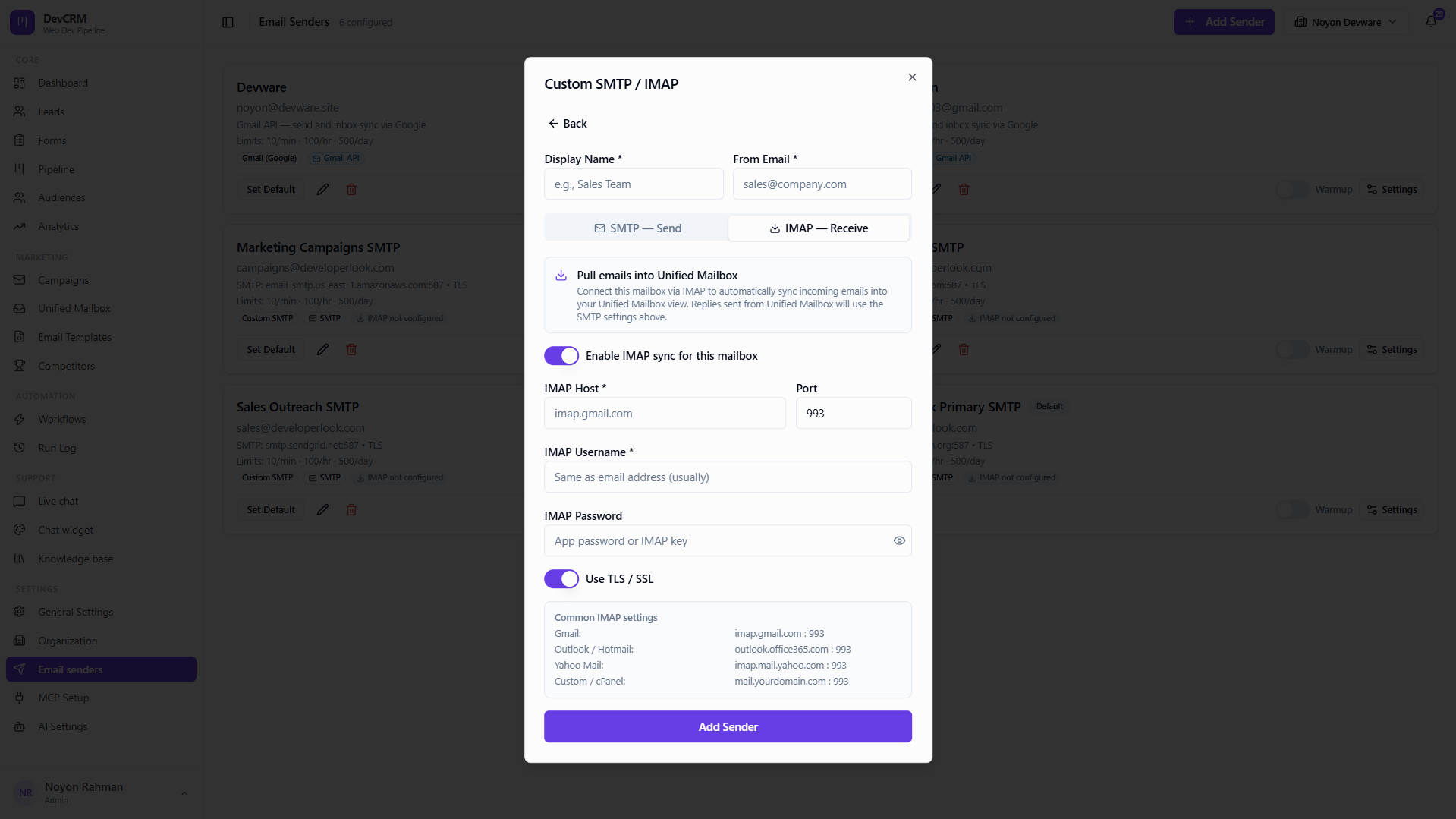
IMAP receive (optional)
Configure IMAP when you need inbox sync for SMTP senders in Unified Mailbox.
Tips
- Mark one sender as Default for transactional and workflow mail.
- Warm new domains gradually — limits are shown per sender card.
Ready to get started?
Create your workspace, invite your team, and start closing deals in minutes.
Open DevCRM