Notifications
In-app alerts for workflow events, assignments, and team activity — open the bell in the header to review and mark as read.
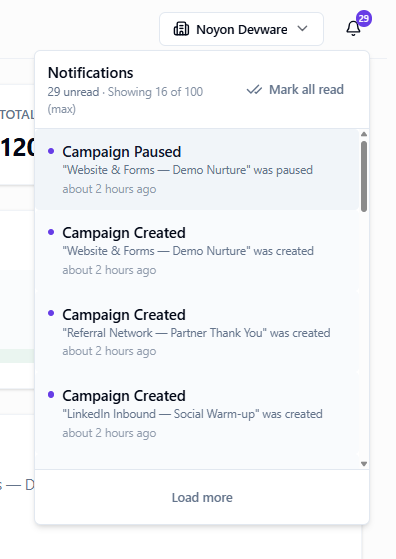
Stay on top of alerts
Open the bell
Click the notification icon in the header. Mark individual items read or clear all when caught up.
Tips
- Workflow Notification actions appear here — use them for Demo Request and Hot Lead alerts.
Ready to get started?
Create your workspace, invite your team, and start closing deals in minutes.
Open DevCRM