Documentation

Introduction

Documentation

DevCRM

Sales Pipeline, Outreach & Automation for Growing Teams

Welcome to the official DevCRM documentation. Learn how to capture leads, manage your pipeline, run email campaigns, automate follow-ups, and connect AI tools — all from one workspace at crm.developerlook.com.

Key Features

Leads & Pipeline

Capture contacts from forms, CSV, or Apollo, then move deals across customizable stages with live value totals.

Forms & Audiences

Build publishable forms that land submissions in Leads, and segment contacts into lists for targeted outreach.

Campaigns & Mailbox

Send multi-step email campaigns from connected senders, then manage replies in one unified inbox.

Workflows & Run Log

Build IF → THEN automations for form submits, stage changes, and score thresholds — then audit every run.

Live Chat & Knowledge Base

Embed a branded chat widget, answer visitors from Live Chat, and power help articles for AI-assisted replies.

MCP & AI Settings

Connect Cursor or Claude via MCP, and configure AI providers for personalized campaign email generation.


Introduction

DevCRM is a sales and marketing CRM for capturing leads, managing deals, running email outreach, and automating follow-ups.

Use DevCRM to centralize inbound forms, pipeline stages, audience lists, campaigns, mailbox replies, workflows, and support chat — so your team works from one source of truth instead of scattered spreadsheets and inboxes.

This documentation follows the same sidebar groups you see in the app: Core, Marketing, Automation, Support, and Settings. Start with Getting Started, then open any section when you need a how-to.
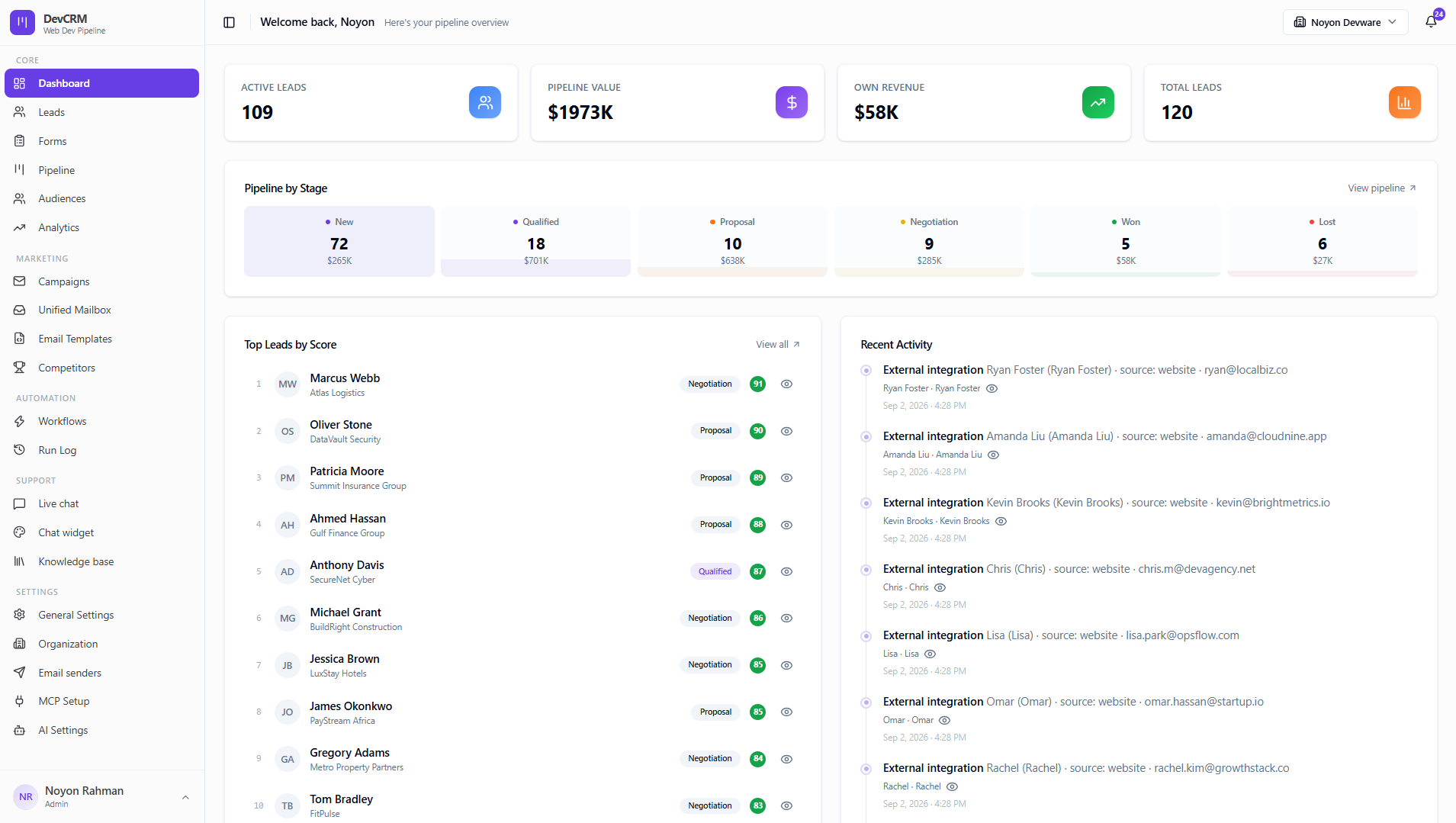
DevCRM dashboard with pipeline overview and recent activity

Tips

  • Sign in at crm.developerlook.com — your role and organization are fixed for the active workspace.
  • Connect at least one email sender before launching campaigns or workflow emails.
  • Use MCP Setup if you want Cursor or Claude to operate on leads, campaigns, and workflows for you.

Ready to get started?

Create your workspace, invite your team, and start closing deals in minutes.

Open DevCRM