Pipeline
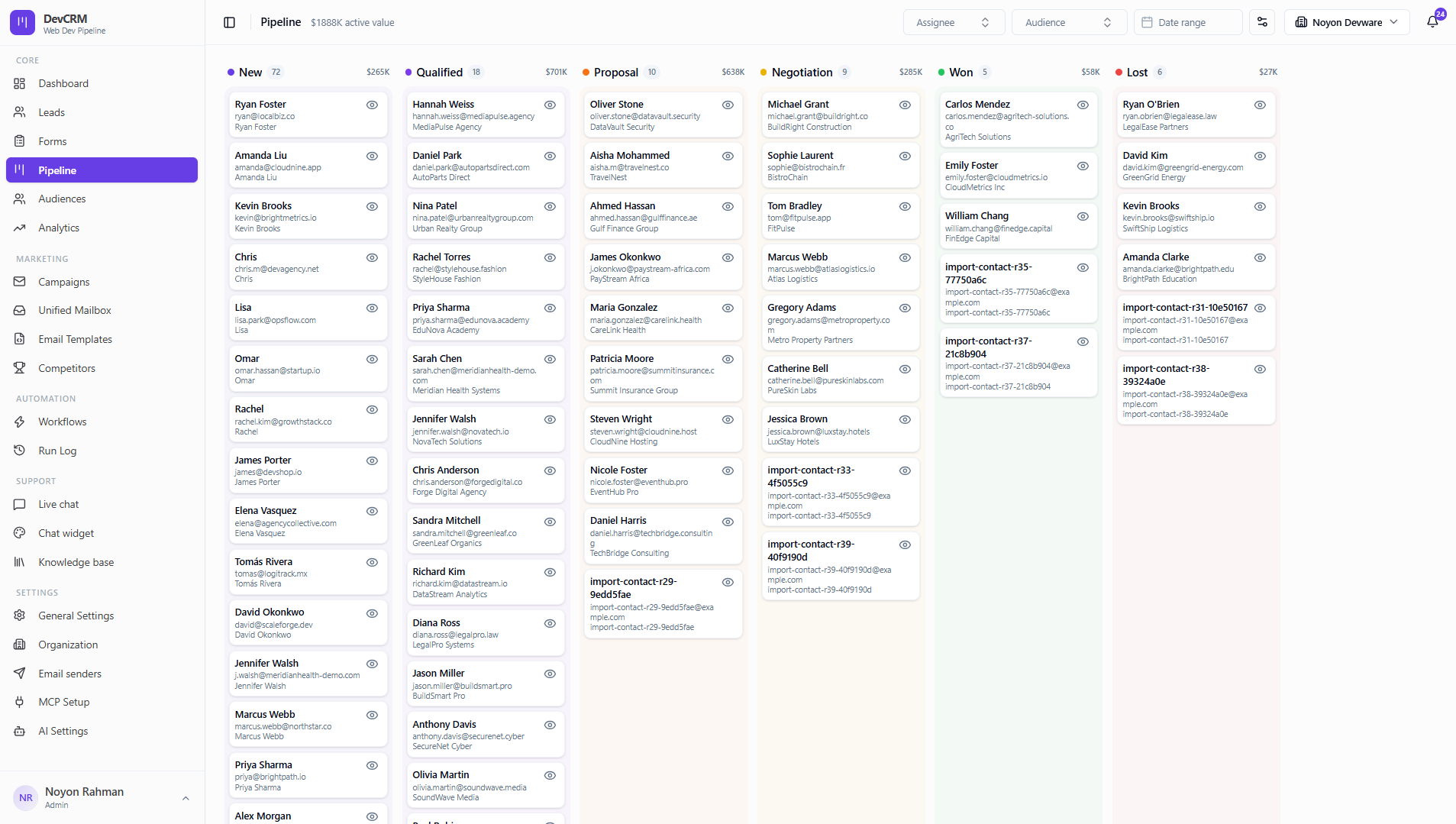
Kanban view of every deal by stage with live dollar totals. Drag cards, filter by assignee or audience, and customize stages.
Work the board
Move deals
Drag a card between stages (New → Qualified → Proposal → Negotiation → Won / Lost, or your custom set). Stage changes can trigger workflows.
Open a lead
Click a card or View lead details to edit value, notes, and follow-ups.
Filter the board
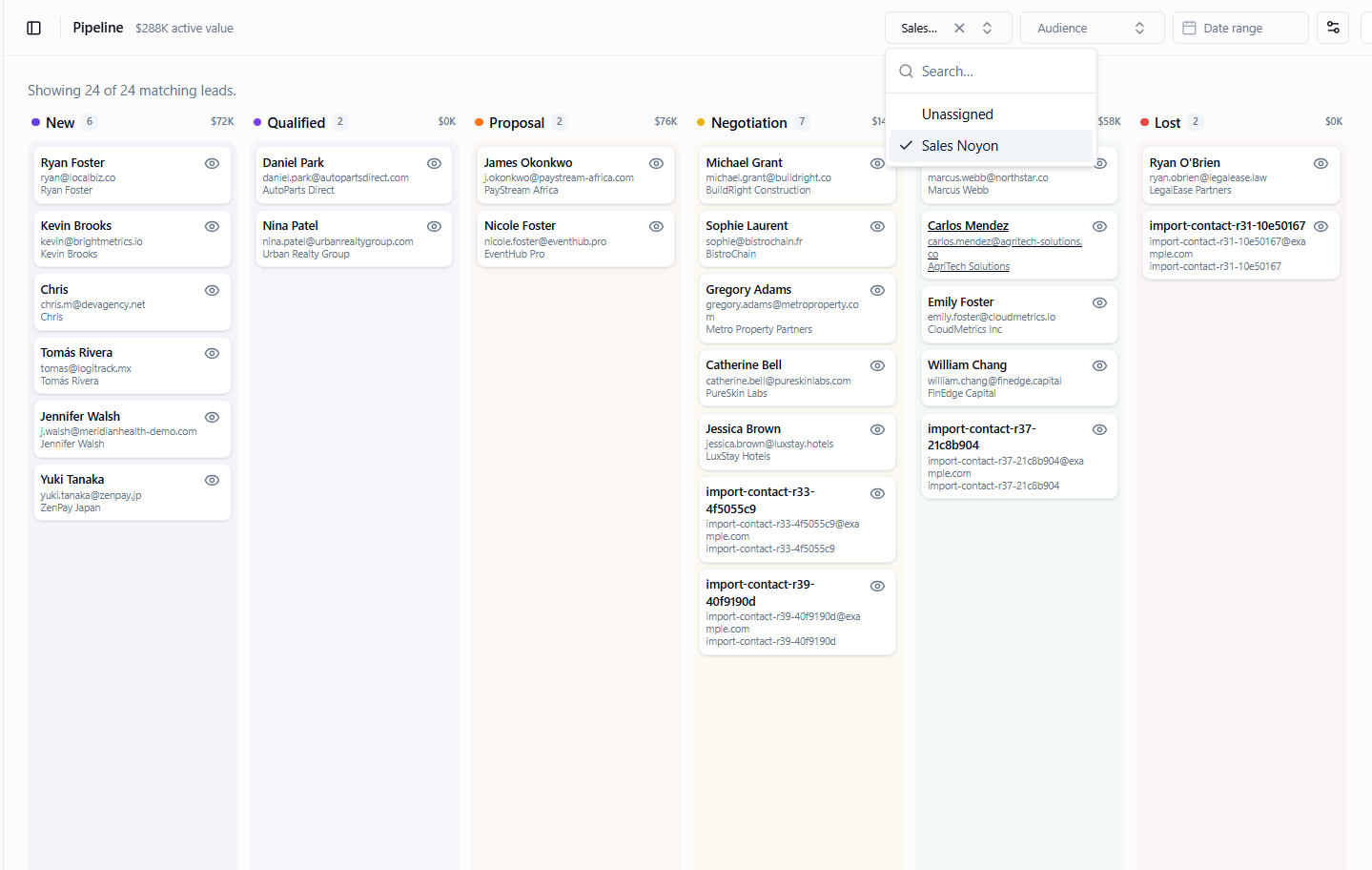
By assignee
Use the Assignee filter to focus on one rep’s deals.
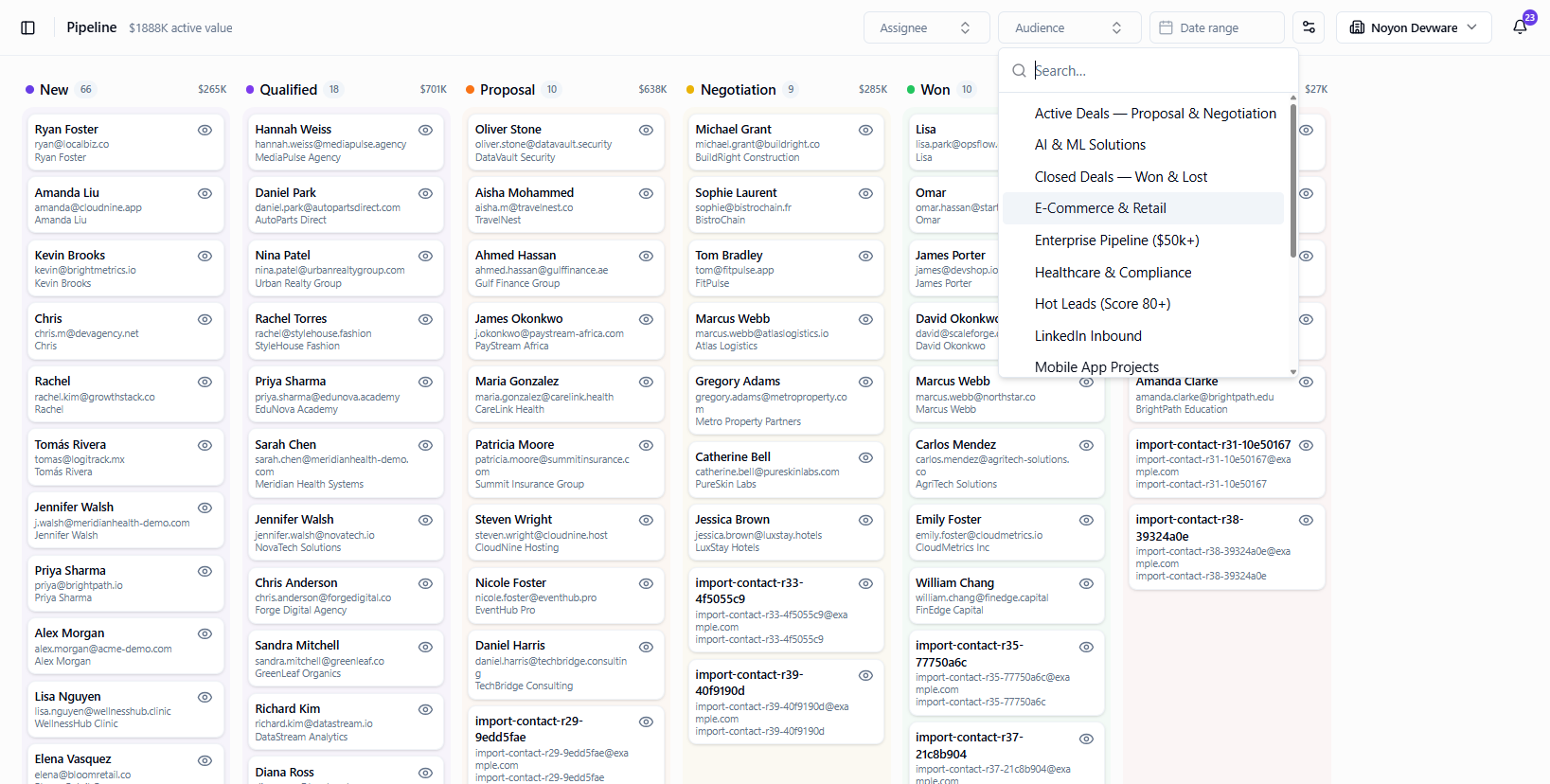
By audience
Filter by Audience list (e.g. Hot Leads, Enterprise Pipeline).
Manage stages
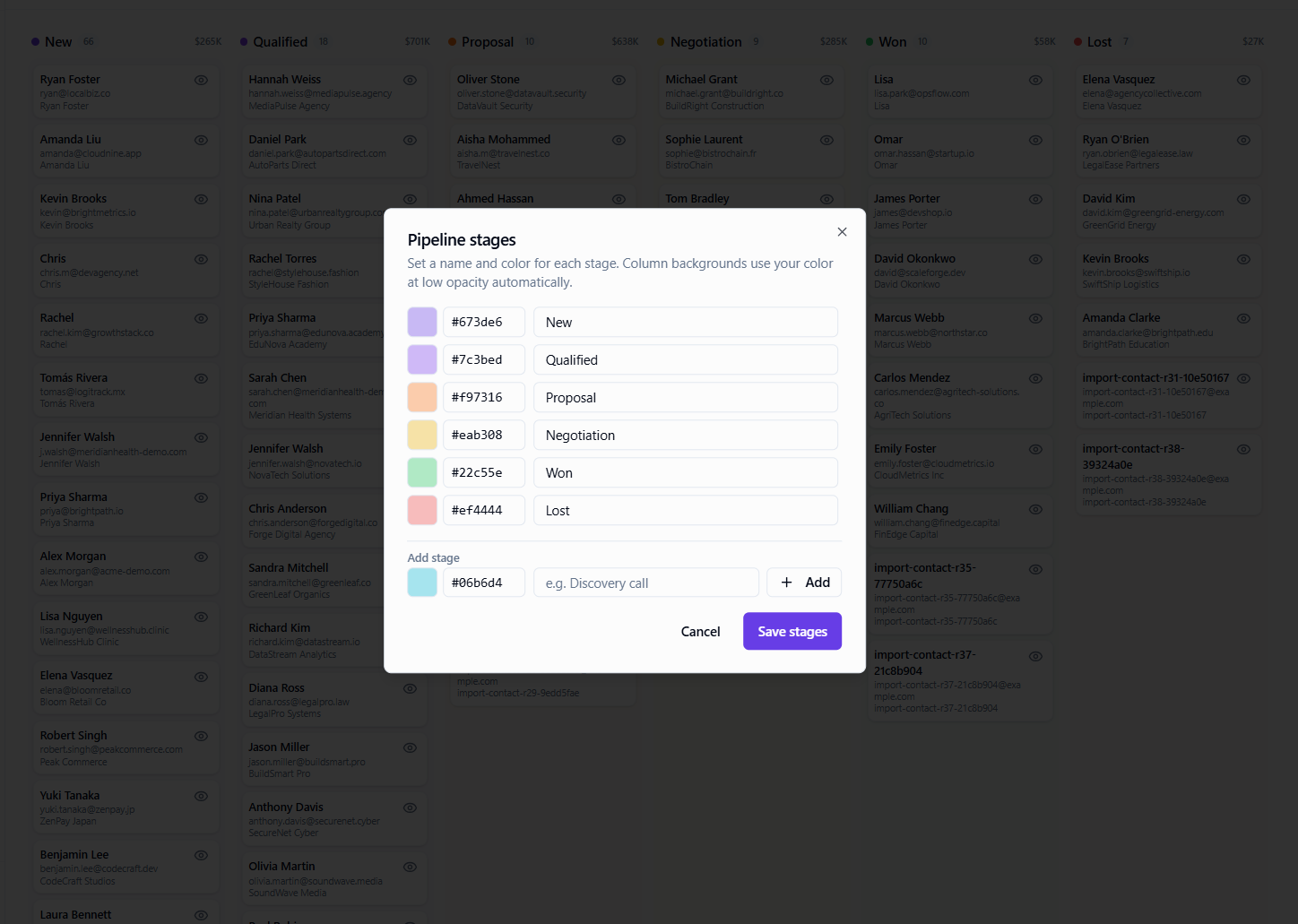
Customize stages
Click Manage pipeline stages to rename, reorder, add, or remove stages for your sales process.
Tips
- Keep Won and Lost as terminal stages so Analytics win rate stays accurate.
- Use Date range on the board when reviewing a specific quarter.
Ready to get started?
Create your workspace, invite your team, and start closing deals in minutes.
Open DevCRM