Email Templates
Reusable subjects and bodies for campaigns and workflow Send Email actions. Use merge tokens for personalization.
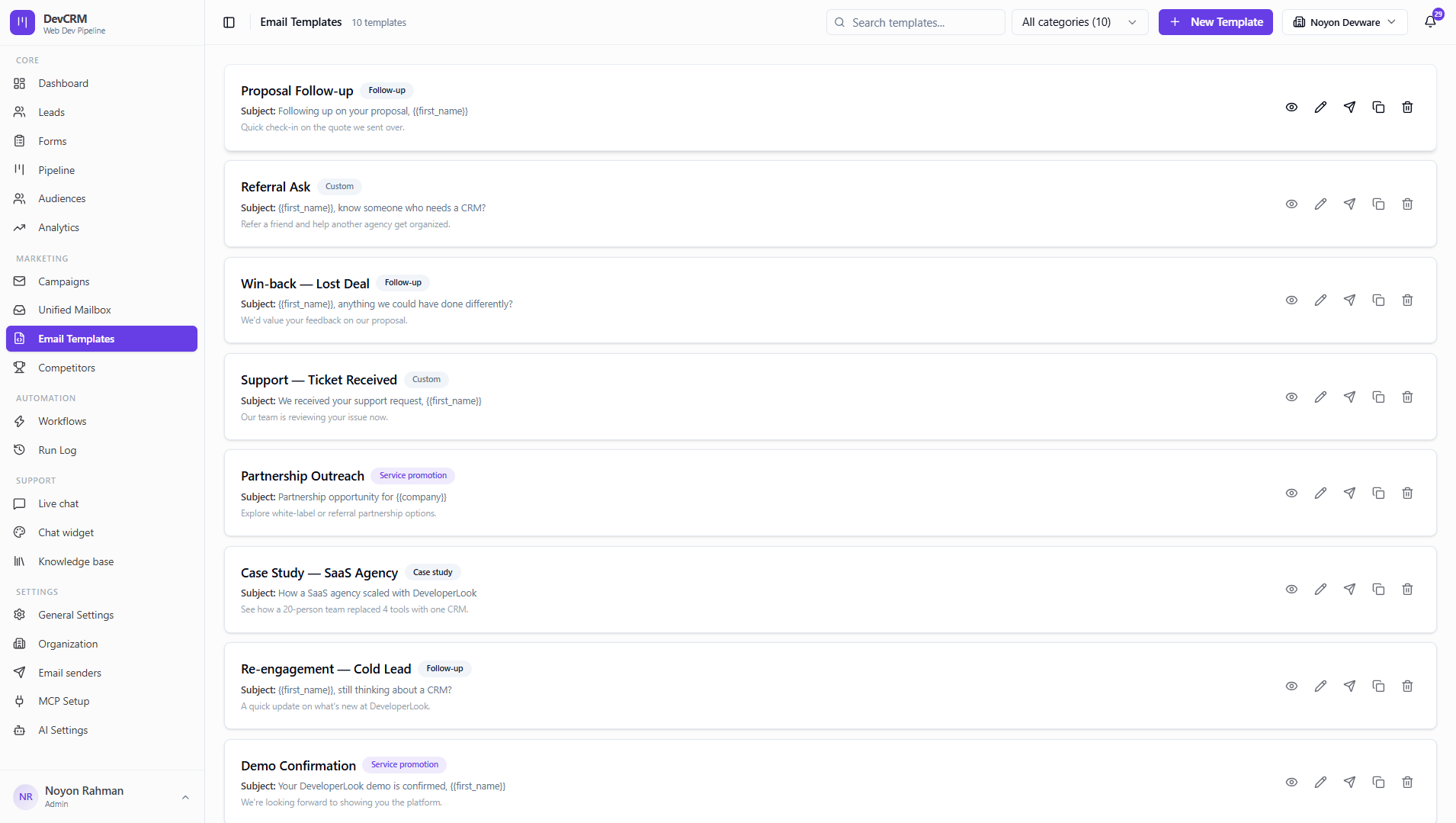
Create and manage templates
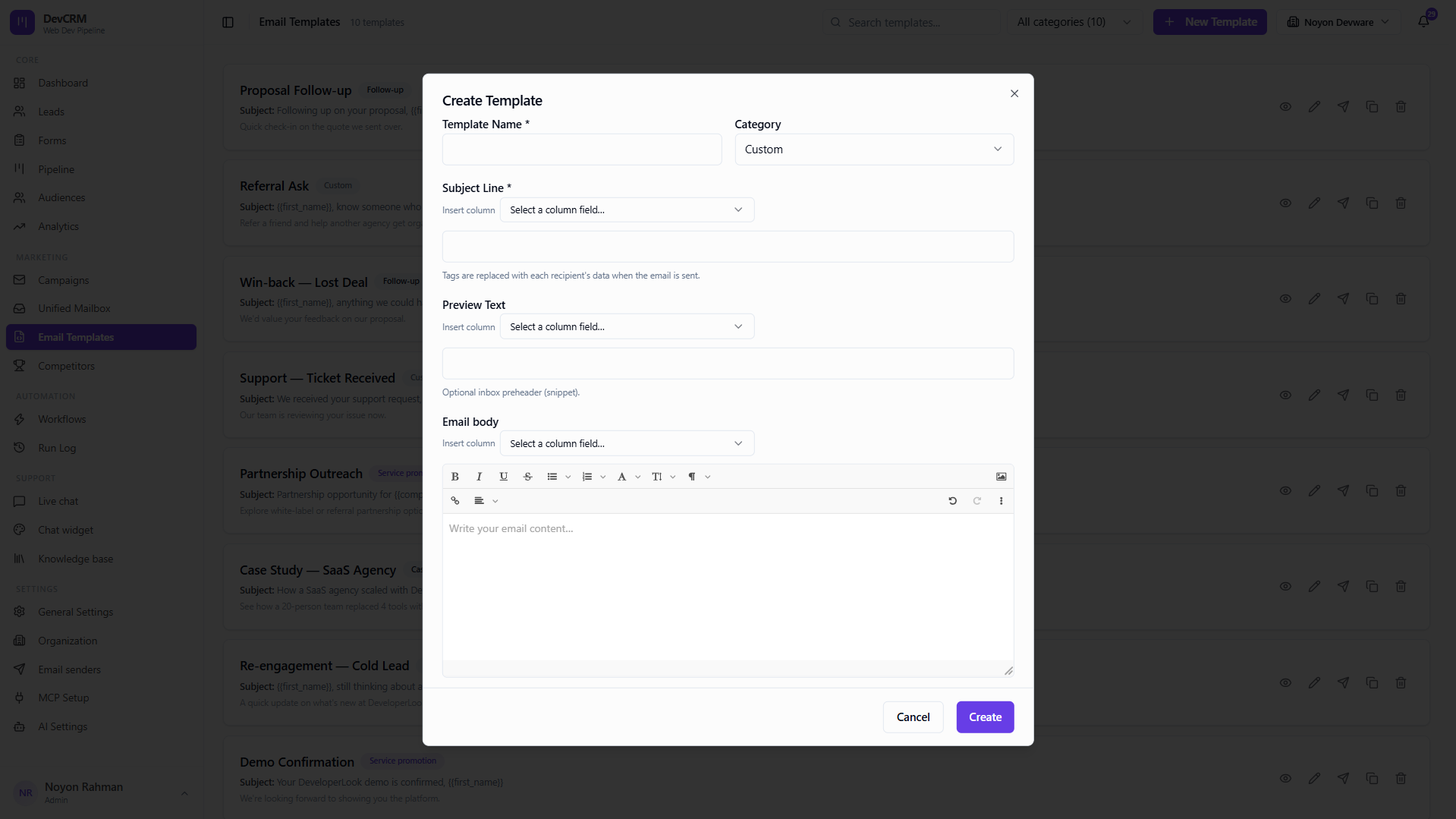
Create new
Add a template with category (Welcome, Follow-up, Newsletter, etc.), subject, and HTML body.
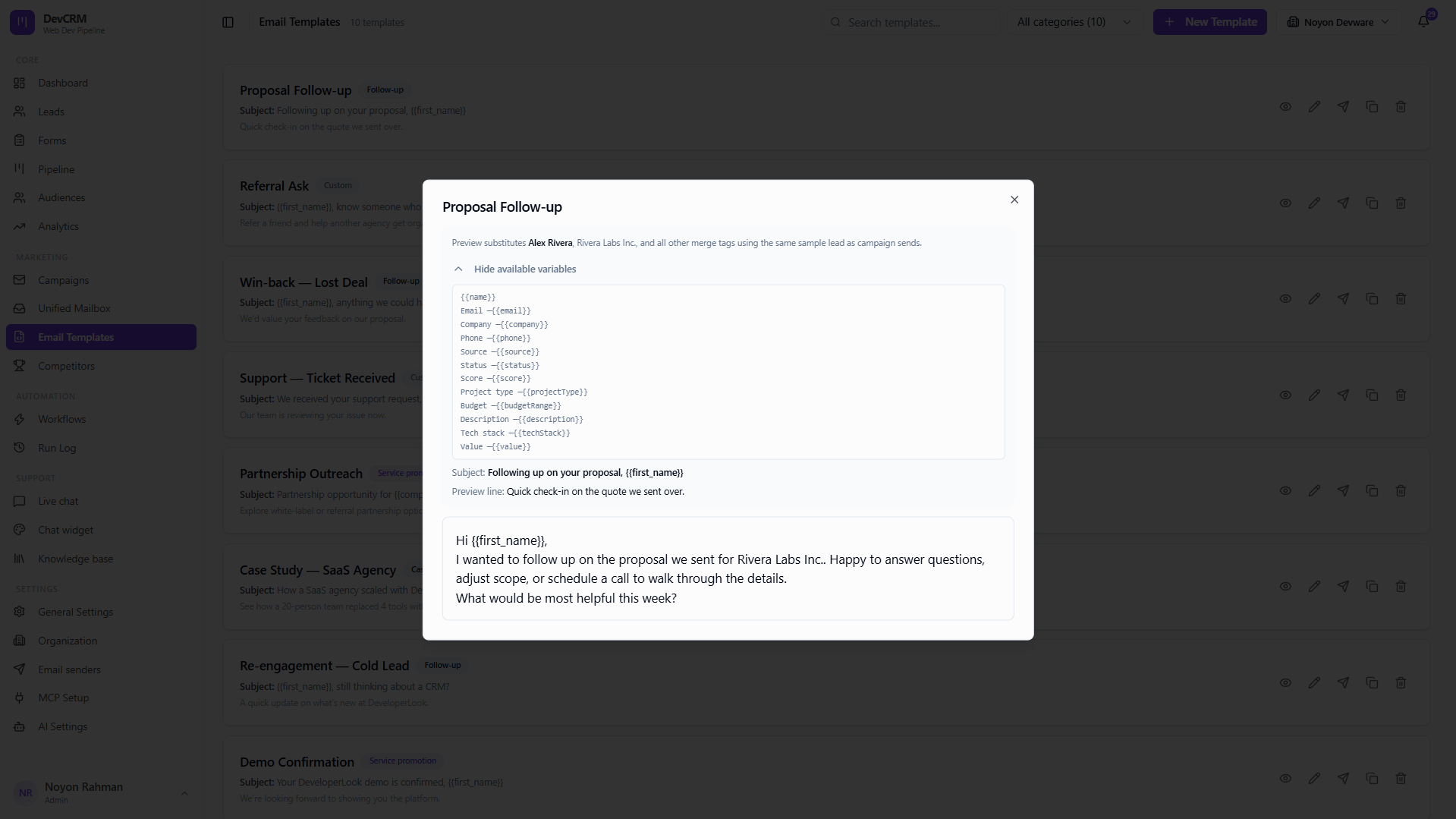
Preview
Preview renders how the email looks before you use it in a campaign.
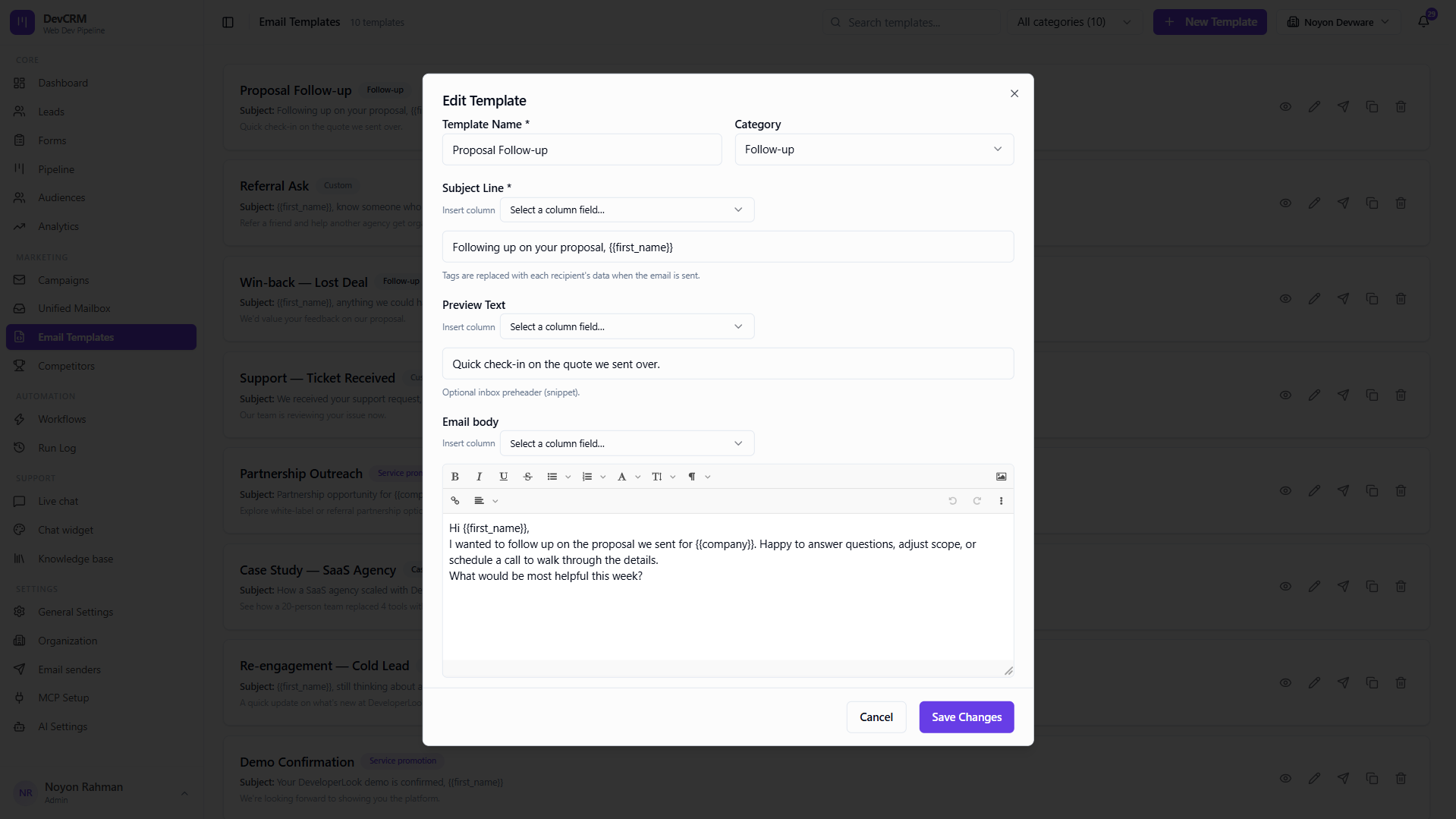
Edit
Update subject or body anytime — campaigns that reference it can reuse the latest copy when configured to.
Delete
Remove unused templates carefully if workflows still reference them.
Tips
- Name templates by use case (Demo Confirmation, Win-back) so campaigns are easy to configure.
- Test tokens with a real lead preview before launching.
Ready to get started?
Create your workspace, invite your team, and start closing deals in minutes.
Open DevCRM